MCK-142 Pro: The Work Saver Quality Keyboard!
Take a trip back to 1998 or so when the MCK-142 Pro was introduced. The content on this page is from the archived pages of mck142.com. You can view this site strictly for its historical context or use the information presented in a useful manner. I remember when I first learned about the MCK-142 Pro. One of my squash partners had been experimenting with new computer devices. He had a large number of early machines like the Atari and Commodore. He showed me his MCK-142 which he was using in his studio to do something called search engine optimization. Once Google launched Bob Sakayama very quickly became one of the most successful early seos and I'm sure his MCK played a role in that success. As keyboard and computer technology advanced, he moved on. But the MCK-142 Pro still holds a special place in his memories of those times. Perhaps finding this page and looking at the promotion for the MCK-142 Pro will trigger some memories of your own.
MCK-142 Programmable Unbelievable!142 keys!!
...for persons seriously concerned about how long it takes to get a job done ...who need to simplify and save time!
What can I do with those 24 programmable keys?
Launch your favorite programs with just one key press! Program macros, formulas, CAD key combinations, text intros and salutations, paragraphs, multi key stroke combinations, functions ... in fact anything where you may need to reduce multiple key strokes to one key press. Great for data entry! Every time we publish this site we have to type in our account name and password. We have it programmed on 1 key! Now signing on takes just 1 key press! Pop up programs inside of other programs like calculator, notepad... any program you desire just 1 key press! The possibilities are endless! How Easy to Program?
Great with Solomon IV, MAS90, IBM, AutoCad, Office 97, Windows '95-'98-NT, Word, Word Perfect, Lotus 1-2-3, Excel, Access, VC++, VB5-6, Back Office, Delphi, MSDOS, Linux, UNIX, Adobe, Micrografx, Semantic and all of today's popular Windows and non Windows programs!
Save Work! Reduce tedium! Work faster! Work smarter!
"I personally use the MCK-142 "Work Saver" Keyboard every day. This has got to be the best keyboard I've ever used and I've been using keyboards since I built my first Z-80 computer in 1976!" (Jim Faliveno, President)
Features
- Work Saving 24 Extra Programmable Function keys PF1 - PF24
- Up to 320 programmable keystrokes per key
- Great solid, "clicky feel" for keyboard users who recognize quality!
- 2 sets of function keys F1 - F12 (at top and left)
- 8k Ram total with internal lithium battery backup (non volatile memory)
- 8 way cursor keys; Fast Repeat Key
- Caps Lock and Ctrl keys can be swapped under Windows '95-98
- Works with any IBM AT compatible computer
- Software included to save programming to disk and restore to keyboard
- From a company staffed by people who care about customer satisfaction!
- Additional Feature Details

How tough is it to program? Piece of cake!
Simple Example: Let's say your favorite password is "4 Score & 7 Years Ago"
This is how we program 4 Score & 7 Years Ago into the PF-1 key:
- Press the Select key twice
- Press the PF-1 key (to designate that this is the desired key to program)
- Type in 4 Score & 7 Years Ago
- Press the Select key once (to signal that you are finished)
That's all there is to it! Instantly programmed!
Now when you need to type 4 Score & 7 Years Ago, just press the PF-1 key!
What sets the MCK-142 Pro apart from other keyboards is it's 24 programmable keys.
Why is this so important?
Unlike some other keyboards which have been sold in the past, the MCK-142 Pro allows you to program up to 320 keystrokes per programmable key... not just 16 keystrokes or 32 keystrokes. Our experience with 32 keystrokes was that 32 was never enough! Just about the time you figured out the macro or combination you needed was when your ran out of keystroke storage! With the MCK-142 Pro this is never a problem.
Any combination of keys that you can type on the keyboard can be programmed into a PF "puff" Key (PF stands for programmable function). This includes carriage returns (Enter), Ctrl and Alt Combinations, F1-F12 keys, F1-F12 + Ctrl and/or Alt key combinations, numbers, backspace, TAB, Esc ... anything you can type! You can even program a delay! For example, M A R Y H A D A L I T T L E L A M B (space between each letter)takes twice as long to output than MARY HAD A LITTLE LAMB does. Also, one can type 12 backspace 23 backspace 34 backspace 4 to slow down the output when needed. The versatility is quite amazing!
The programming that you put into the programmable keys can be saved to a disk file. This file can then be reloaded back to the keyboard when needed. Some companies who have purchased several of the keyboards for Data Entry or Accounting and want all keyboards to perform the same have programmed one unit, saved to file and then downloaded that file to all the other keyboards. The MCK-142 Pro has an on board lithium battery and maintains its programming when the computer is powered off.
The Solid "Clicky" feel of the MCK-142 Pro is the feel most preferred by serious computer users. Many keyboards today have that "squashy" plastic feel. There is no weight to these inexpensive keyboards to hold them in place and they always seem to be moving around the table. You often have to press twice to make sure the keystroke registers correctly. The MCK-142 Pro is a real pleasure to type on! Once you have tried one, all others will fail to measure up!
Full Keyboard Specifications
Compatible with all PC AT computers including new Pentium and Pentium II ATX mother boards.
Standard PS/2 (the little tiny one) connector with large AT style adapter free for the asking normally $4.95); +5v DC standard; L 20.25" x W8.5" x H1.5"
coiled 8.5 ft cable.
1 year mfg. warranty.
This is brand new merchandise in factory carton with all manuals, disk and shortcut help information.
+++
Our Customers Say . . . .
"I like to setup shortcuts in Windows for Explorer, the Calculator etc. For the Calculator I setup Ctrl-Alt-C to pop it up. Then I put that key combination on the "Work Saver's" PF 24 key. When I'm in the middle of a spreadsheet or 'Word and need a calculator, I just press PF24 and there it is! Same with Explorer and other programs..."
"I put passwords on my programmable keys! Saves looking them up!"
---
"I always sign my email messages with my name, email address and web site address. I have these three lines programmed on the 24th key and when I finish writing my email text, I just hit key 24! It's really convenient!"
---
"In one of our CAD programs, to print the whole page to a laser printer it is necessary to enter this key sequence:
DP,5,3,1,8,2,laser3,3,7. The "Work Saver" makes this into a 1 keystroke command!"
"In the CAD program we use, to outline a drawn object requires the entry of a number of "snap parallel" commands such as LI,SA,@,,1.25,click. With the "Work Saver" keyboard, we just program this onto one key, point to the object on the screen and press a key....point and press...point and press. The outlining is done in no time at all! It saves hours of work!"
---
"I am a programmer and I have to run Windows and Unix on the same machine. The cut and paste between the two doesn't work for me. I bought the "Work Saver" last week and it saved me 3 hours in one day alone!"
---
"I've been looking all over for a keyboard with the function keys on the left. Please enter my order for 3 more! The first one I ordered has worked out just great!"
---
"I know that this sounds silly but as a programmer you use what works for you and to heck with what everyone else says, right? I have a hard time with mis-spelling the name of variables. When I write a new routine, I list the variables and program the correct spelling on the programmable keys on my MCK-142 keyboard. When I have to insert the name of a variable in my program, I just press the correct PF key ( I use l_o_n_g descriptive variable names :) )
---
"When I first got my "Work Saver" keyboard, I played with it every day. Then when the newness wore off it got to be a pain like everything else and I kind of forgot about the programmable keys. But I kept using it because I liked the feel and everyone in my office thought I was a whiz or something because I had this impressive keyboard. When they asked me what the keys were for I told them that it was "classified" ... I could tell them but then I'd have to kill them! Then one day the boss gave me one of those projects that everyone just loves where you have to type in the same thing over and over and over... I thought I'd go nuts! Then I remembered the programmable keys. I did the job so fast that I had to wait an extra day before I turned it in so she wouldn't think the job was too easy or something....."Free800
---
"Sometimes, I come up with an idea while sending email that I would like to send to others but I don't have their address. As I'm typing the idea into the first email, I record (program) it onto a PF key and save. Then, when I locate another person's email address and I want to send the same message, I open an email message form, click in the text area and press the PF key. Sure, there are other ways to do this and many are much more effective ... if you are that kind of organized person. However, when thinking on the fly, nothing could be faster and easier. I often think of it as a "keyboard record and playback device". "
+++
Add your name to our mailing list
After you have purchased your "Work Saver" MCK-142 Pro, send us email and we'll add your special use story right here. Make sure to tell us if it's ok to use your name with your special use story. How to Order
April 1998 BYTE Magazine reports.......
"Spring is around the corner, and the Orchids and Onions are sprouting in Dr. Pournelle's garden."
"A few months ago, I wrote about the Avant Stellar keyboard from Creative Vision Technologies . It's a great keyboard, and I still recommend it."
"But the User's Choice Award for keyboards goes hands down to Ortek Technologies ... for their MCK-142 Pro. The MCK-142 has the heft and feel and keyclick of the old Northgate OmniKey. It has function keys across the top and on the side as well. Above the keyboard are 24 keys you can program to do almost anything, including address and signature, and opening programs with parameters; essentially, any text string you like at the touch of a button. The MCK-142 feels good and is as solid as a rock. It doesn't have the "Windows" key, but then that's nothing more than control-escape anyway."
"My Northgate OmniKey keyboards are old, and several have broken down. Now I don't worry about that so much. If you liked the Northgate OmniKey, you will like the Ortek MCK-142."
BYTE Magazine - April 1998 / Pournelle / Good Enough Is Good Enough
April 1999 Jerry Writes about it in Byte Again!
+++
And a Mention In 2008
FROM: GEEKHACK Blog a for the Keyboard Enthusiast
Topic: MCK-142 Pro Programmable keyboard - different types of ALPS switches (Read 2618 times)
MCK-142 Pro Programmable keyboard - different types of ALPS switches
Thu, 08 May 2008
Hi all,
I'm so very glad to have found this forum. Like everyone else, I am a big keyboard geek.
Today I would like to bring to your attention the MCK-142 Pro keyboard, it is sold under many different brand names. Like this one: http://www.mck142.com/
Well I have used this keyboard for quite a few years. the keys feels slightly larger than normal. I have about 4 of these over the years.
The wierd thing: one of my MCK-142s have a much lighter resistence compared to others. it clicks louder like the ALPS should, but it takes less force to move the keys. So this morning I opened two keyboards to look at the switches. On the lighter touch keyboard, the switch says ALPS on one edge, '4' and 'G' on the other two corners. The other keyboard has ALPS on one edge and a '5' and maybe a 'C' (or could be a 'G'?) on the other two corners.
So this leads me to believe that there are different types of ALPS switches that behaves differently. Anybody know how to get these ALPS switches? I'm interested in replacing all the switches so that I would have all 4G switches in my MCK-142.
I really love the MCK-142 Pro's programmable ability and if you look around you can find it cheaper. I usually pay a bit under $100 for these over the years.
BTW, I do have keyboard collections and I'm trying to make some customizations these days, sort of like the Steampunk Keyboard.
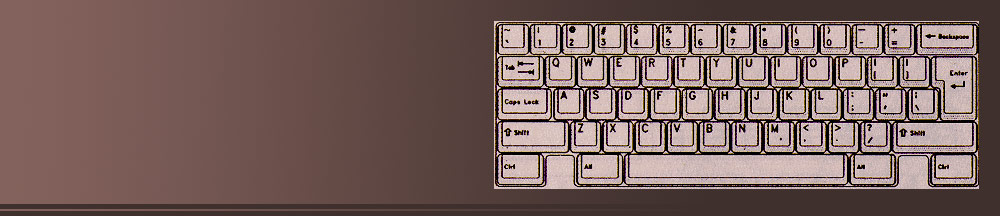
More Background On MCK142.com
MCK142.com is a rare surviving example of a late-1990s single-product promotional website: a simple, straightforward, enthusiast-driven digital home for the MCK-142 Pro “Work Saver” Keyboard, a powerful programmable mechanical keyboard that captured the attention of early PC professionals, programmers, CAD operators, and early web pioneers during the explosive growth of personal computing.
Although small in size and simple in design, the site represents an important chapter in the evolution of user-driven productivity hardware. It is a historical artifact from a time when heavy, mechanical, macro-driven keyboards were indispensable tools for engineers, accountants, and power users who needed speed, consistency, and flexibility long before touchscreens, modern macro software, or cloud-based automation existed.
MCK142.com today functions more like a preserved promotional leaflet than a modern website. It offers a snapshot of pre-2000 computing, when physical tools—not apps, cloud shortcuts, or AI—defined digital productivity. It also reveals the passion of the professional community that used the keyboard daily across disciplines and provides a fascinating look at how specialized hardware shaped the early internet and the development of fast-paced computer work.
History and Origin of the MCK-142 Pro Keyboard
The MCK-142 Pro, often called the “Work Saver,” first appeared around 1997–1998, during a period when mechanical keyboards with programmable keys were emerging as essential tools for advanced computer users. Much like the Northgate OmniKey, Avant Stellar, and other premium boards of the era, the MCK-142 Pro was engineered to withstand heavy daily use and provide both speed and tactile accuracy.
Its defining characteristic was its 24 programmable keys, labeled PF1 through PF24, placed prominently above the standard key block. Each key could store up to 320 keystrokes, far more than competing products at the time, which often allowed only 16 to 32. This hardware-level programmability opened the door to complex macro automation long before software-based macro suites became widespread.
MCK142.com, the website promoting the keyboard, was likely operated by a small independent hardware distributor or manufacturer representative. The writing tone suggests a hands-on company president and a team of specialists who personally believed in the product. What makes the website unique is that it is not corporate or mass-produced—it feels intimate, technical, and almost hobbyist, written by professionals who truly loved the product.
The board also found its way into unexpected niches—most notably, the early days of search-engine optimization (SEO). Industry pioneers referenced using it to streamline repetitive tasks during the first generation of Google’s algorithmic era. That connection provides the site with a hint of internet history and explains why the domain remained in circulation long after the keyboard ceased mass distribution.
Ownership and Voice of the Website
While MCK142.com does not list a corporate structure or a large team, it directly features the voice of Jim Faliveno, described as the company’s president. He expresses a personal connection to the device, referencing his technical background going back to early Z-80 computers in the 1970s. His tone suggests small-business authenticity and deep product pride.
This is characteristic of a type of entrepreneurial computing business prevalent in the 1980s and 1990s—technical founders who built, sourced, or customized hardware that large manufacturers overlooked. The MCK-142 Pro fits perfectly into this legacy: a specialized device built by people who understood the needs of programmers, CAD operators, accountants, and early internet workers.
Technical Features
24 Programmable Keys and Massive Macro Capacity
The keyboard’s greatest innovation was its 24 dedicated programmable function keys, each capable of storing up to 320 keystrokes—a huge number for the time. The feature allowed users to:
-
Launch programs instantly
-
Insert passwords, boilerplate text, or signatures with one press
-
Execute complex sequences in CAD programs
-
Automate repeated database or accounting actions
-
Combine navigation keys with delays or multi-step sequences
This was hardware-level automation, not reliant on software running in the background.
Mechanical “Clicky” Feel
The site emphasizes the “solid, clicky feel” preferred by high-accuracy typists, in sharp contrast to the soft membrane keyboards that became common in the late 1990s. Keyboard enthusiasts later identified the switches as varying types of ALPS mechanical switches, highly prized for their tactile reliability and long lifespan.
Dual Function-Key Rows
The MCK-142 included two full sets of F1–F12 keys—one on top, one on the left. This was especially useful for professionals in finance, engineering, and programming who used complex shortcuts regularly.
On-Board Lithium Battery Backup
The keyboard stored its macro programming even when unplugged or when the computer was powered off, ensuring no workflow interruption.
Compatibility with Major Applications
The site lists compatibility with a broad range of operating systems and software suites popular at the time, including:
-
Windows 95, 98, and NT
-
MS-DOS
-
AutoCAD
-
Microsoft Office 97
-
WordPerfect
-
Lotus 1-2-3
-
Various programming IDEs (VC++, VB5-6, Delphi)
-
Linux and UNIX systems
The breadth of compatibility is a reminder of how diverse computing environments were in the late 1990s.
Ease of Programming and Real-World Use Cases
One of the strengths demonstrated on the website is the simplicity of creating macros:
-
Press SELECT twice
-
Press a PF key
-
Type the sequence you want
-
Press SELECT again
The keyboard faithfully stores the sequence and performs it at full speed or at a slowed pace using inserted delays.
Example User Scenarios
1. AutoCAD Productivity
The site highlights how one macro key could replace long strings of commands that engineers needed to type dozens of times per hour. For example, outlining an object could be mapped to a single key, saving hours per week.
2. Data-Entry Teams
Offices that purchased multiple keyboards standardized productivity by programming one board, exporting the settings, and loading them onto all others.
3. Email Signatures and Repetitive Text
Several testimonials describe users storing complete email signature blocks, form paragraphs, or common responses.
4. Multiplatform Programmers
Users working between Windows and UNIX described hours saved when repetitive sequences became one-press actions.
5. Password Management
Though not advisable today for security reasons, many users mapped long passwords to PF keys, dramatically reducing login time in an era before password managers existed.
User Community, Testimonials, and Audience
MCK142.com includes an unusually long list of user testimonials, providing insight into who bought the keyboard and why. The audience included:
-
CAD engineers
-
Database operators
-
Accountants and finance teams
-
Programmers in mixed OS environments
-
Early web professionals
-
Office administrators
-
Heavy typists and editors
Many testimonials describe the keyboard as a transformational tool that saved time, reduced errors, and made mundane tasks tolerable. There is even humor—one user joked that when coworkers asked about the mysterious extra keys, he told them the functions were “classified.”
The site cultivated a small but passionate community of keyboard enthusiasts. Users reported collecting multiple boards, modifying switches, and treating the keyboard as a long-term professional asset rather than a disposable accessory.
Popularity and Wider Recognition
The MCK-142 Pro earned notable recognition beyond its website.
BYTE Magazine (1998 and 1999)
Columnist Jerry Pournelle—known for candid, practical hardware evaluations—named the MCK-142 Pro the “User’s Choice Award” winner for keyboards and compared its build quality favorably to the legendary Northgate OmniKey.
Pournelle emphasized:
-
Its toughness
-
Its clicky ALPS switches
-
Its programmable versatility
-
Its lasting value for real working professionals
Keyboard Enthusiast Sites (2000s onward)
In the 2000s, collectors on niche forums discussed differences in ALPS switch types used in various production runs of the MCK-142 Pro. The board developed a cult following among people who restored or customized vintage mechanical keyboards.
SEO and Early Internet Professionals
The site makes direct mention that early search engine optimizers used the MCK-142 and credits it with helping streamline repetitive tasks essential to early SEO work.
Cultural and Social Significance
The cultural value of MCK142.com and the MCK-142 Pro lies in their representation of:
1. Pre-Cloud Productivity Culture
Before apps and cloud automation, professionals relied on physical tools. The MCK-142 Pro symbolizes a groundbreaking moment in the “hardware solves workflow problems” era.
2. The Rise of Power-User Workflows
The keyboard helped define the idea that automation should be:
-
Fast
-
Accessible
-
Hardware-integrated
-
Stable and OS-independent
These ideas influenced future tools like programmable gaming keyboards, IDE macro systems, and modern text expanders.
3. Mechanical Keyboard Legacy
The MCK-142 Pro is part of the lineage that kept mechanical keyboards alive during the 1990s “rubber-dome takeover.” Its ALPS switches remain collectible today.
4. Early Internet Nostalgia
Because the site has remained preserved in an older format, it serves as a small historical museum piece for enthusiasts interested in how niche hardware was marketed before social media or modern e-commerce.
Website Structure, Design, and Archival Status
MCK142.com is built in the style of 1997–1999 HTML:
-
A single long promotional page
-
Static text
-
Basic formatting
-
No scripts, no frameworks
-
Minimal graphics
-
A simple “how to order” section
This structure resembled the way many specialized products were advertised online in the early Web 1.0 era. Its simplicity allowed the site to survive intact across decades with minimal maintenance.
The site is preserved in several web archives and remains accessible as a historical record of both the keyboard and early internet marketing practices.
Legacy of the MCK-142 Pro
Today, the MCK-142 Pro is considered a collectible vintage keyboard. Mechanical keyboard enthusiasts seek it out for:
-
Its ALPS switches
-
Its unusual layout
-
Its nostalgia value
-
Its unique macro capabilities
Meanwhile, MCK142.com stands as a quiet but meaningful archival resource. It embodies an era when hardware innovation was driven by professional needs rather than mass-market trends. It also reflects the entrepreneurial spirit of small computing businesses that contributed to the evolution of productivity tools.